RAG & Retrieval
RAG Pipeline Explained: How Retrieval-Augmented Generation Makes AI Answers More Useful
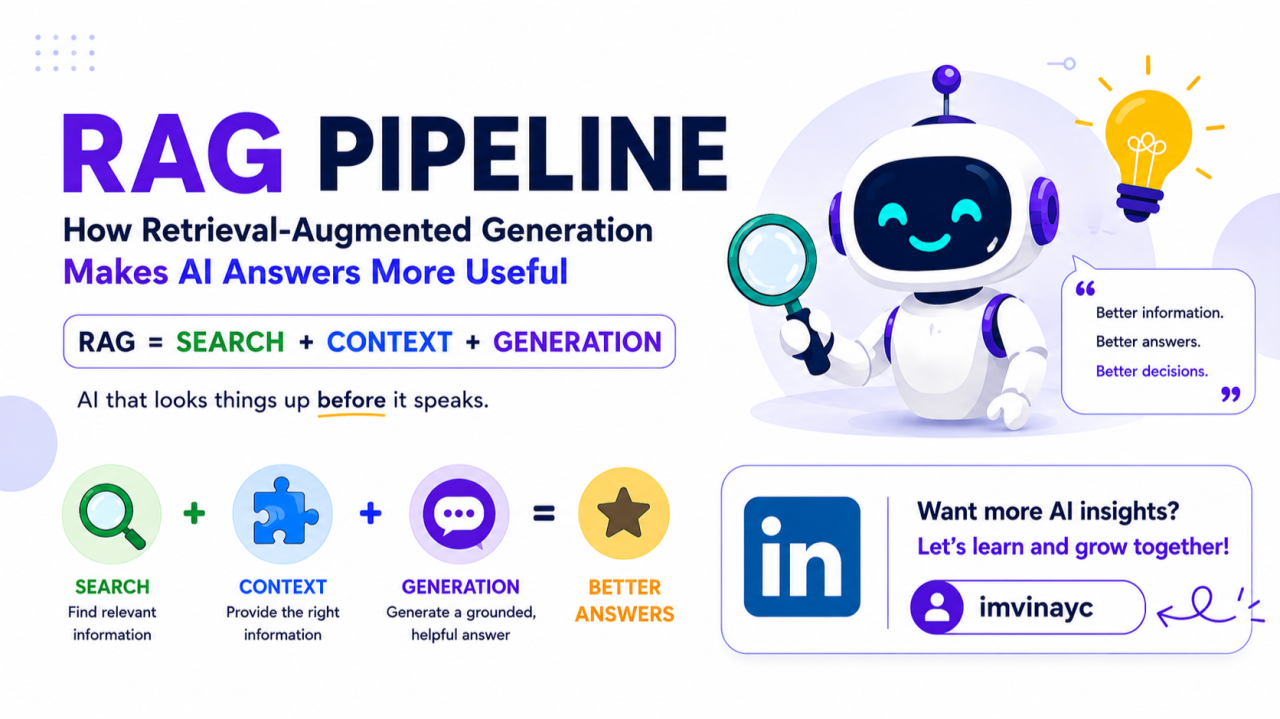
Large language models are impressive, but they have a simple problem: they do not automatically know your private documents, your latest product specs, your internal policies, or what changed yesterday.
That is where Retrieval-Augmented Generation, usually called RAG, comes in.
A RAG pipeline connects a language model to external knowledge. Instead of asking the model to answer only from what it learned during training, the system first retrieves relevant information from a trusted source, then asks the model to answer using that information.
In plain terms:
RAG = retrieval + augmentation + generation
It gives an AI system a way to look things up before it speaks.
Why RAG Exists
A language model is like a very capable generalist. It can reason, summarize, explain, rewrite, and generate text. But its built-in knowledge has limits.
It may be outdated. It may not know private company data. It may guess when it lacks evidence. It may give a fluent answer that sounds right but is not grounded.
RAG helps solve this by adding a retrieval layer.
Instead of relying only on the model’s internal memory, a RAG system pulls relevant information from documents, databases, tickets, PDFs, wikis, product manuals, or APIs. The model then uses those retrieved snippets as evidence.
This makes RAG especially useful for customer support bots, enterprise search, legal research, developer assistants, healthcare documentation, financial analysis, and internal knowledge copilots.
The Simple RAG Flow
A typical RAG pipeline has two major phases:
- Indexing phase — prepare your knowledge so it can be searched.
- Query phase — retrieve the right knowledge and generate an answer.
Think of indexing as building a smart library. Querying is what happens when a user asks a question.
Phase 1: Indexing the Knowledge
Before the AI can retrieve information, the system needs to prepare the data.
1. Collect documents
The pipeline starts with source content. This may include:
- PDFs
- web pages
- help center articles
- internal docs
- Slack threads
- code repositories
- product specs
- database rows
- support tickets
The goal is not to dump everything into the model. The goal is to create a searchable knowledge base.
2. Clean and normalize the content
Raw documents are messy. PDFs may have headers, footers, page numbers, tables, or broken text. Web pages may contain navigation menus and ads. Internal docs may have repeated boilerplate.
Cleaning matters because bad input creates bad retrieval.
At this step, the system removes noise, extracts useful text, preserves metadata, and converts content into a consistent format.
Useful metadata may include:
- document title
- author
- source URL
- creation date
- last updated date
- access permissions
- department
- product area
- document type
Metadata later helps filter results and cite sources.
3. Split documents into chunks
Language models and search systems work better with smaller pieces of text. So documents are split into chunks.
A chunk might be a paragraph, section, page, or fixed token window.
Chunking is one of the most important parts of a RAG system. If chunks are too small, they lose context. If they are too large, retrieval becomes noisy and expensive.
A good chunk should contain one coherent idea.
For example, a product policy document might be split by section headings rather than every 500 words. A codebase might be split by function or class. A legal contract might be split by clause.
Good chunking improves answer quality more than many teams expect.
4. Create embeddings
Once the documents are chunked, each chunk is converted into an embedding.
An embedding is a numerical representation of meaning. Texts with similar meaning have embeddings that are close together in vector space.
For example:
“reset my password” “forgot login credentials” “cannot access my account”
These phrases use different words, but they are semantically related. Embeddings help the system find similar meaning, not just exact keyword matches.
5. Store chunks in a searchable index
The chunks, embeddings, and metadata are stored in a vector database or search index.
Common options include vector databases, search engines with vector support, or managed retrieval systems.
The index usually stores:
- chunk text
- embedding vector
- document ID
- metadata
- permissions
- timestamps
- source links
At this point, the knowledge base is ready.
Phase 2: Answering a User Query
Now a user asks a question.
Example:
“Can customers cancel an annual subscription after 30 days?”
The RAG system does not immediately ask the language model to answer. First, it retrieves evidence.
1. Understand the query
The system may rewrite or expand the user’s question.
For example:
“Can customers cancel an annual subscription after 30 days?”
could become:
“annual subscription cancellation policy refund after 30 days customer terms”
This improves retrieval, especially when users ask vague or conversational questions.
Some systems generate multiple search queries for the same question. This is useful when the answer may appear under different wording.
2. Retrieve candidate chunks
The query is embedded and compared against the indexed chunks.
The system retrieves the most relevant chunks, often using:
- semantic search
- keyword search
- hybrid search
- metadata filters
- permission filters
Semantic search finds meaning. Keyword search catches exact terms. Hybrid search combines both.
For enterprise systems, permission filtering is critical. A user should only retrieve documents they are allowed to see.
3. Rerank the results
The first retrieval step may return many candidates. A reranker then sorts them by relevance.
This step often improves quality because vector similarity alone is not always enough. A chunk may be topically similar but not actually answer the question.
A reranker asks: “Which retrieved passages are most useful for this exact query?”
The best chunks are kept. The rest are discarded.
4. Build the prompt
The selected chunks are inserted into the model prompt as context.
A simplified prompt might look like this:
“You are a support assistant. Answer the user’s question using only the provided context. If the answer is not present, say you do not know. Cite the source sections.
Context: [Chunk 1] [Chunk 2] [Chunk 3]
User question: Can customers cancel an annual subscription after 30 days?”
The instruction matters. Without clear guidance, the model may use outside assumptions or overstate the answer.
5. Generate the answer
The language model now writes a response using the retrieved context.
A good RAG answer should be:
- accurate
- grounded in the retrieved sources
- concise
- honest about uncertainty
- traceable to source documents
The best RAG systems do not just answer. They show where the answer came from.
A Mental Model for RAG
A normal LLM is like asking a smart person from memory.
A RAG system is like asking a smart person who first opens the right files, reads the relevant sections, and then answers.
That difference is huge.
The model is still doing the reasoning and writing. But the facts come from your chosen knowledge base.
Infographic Summarising the Phases
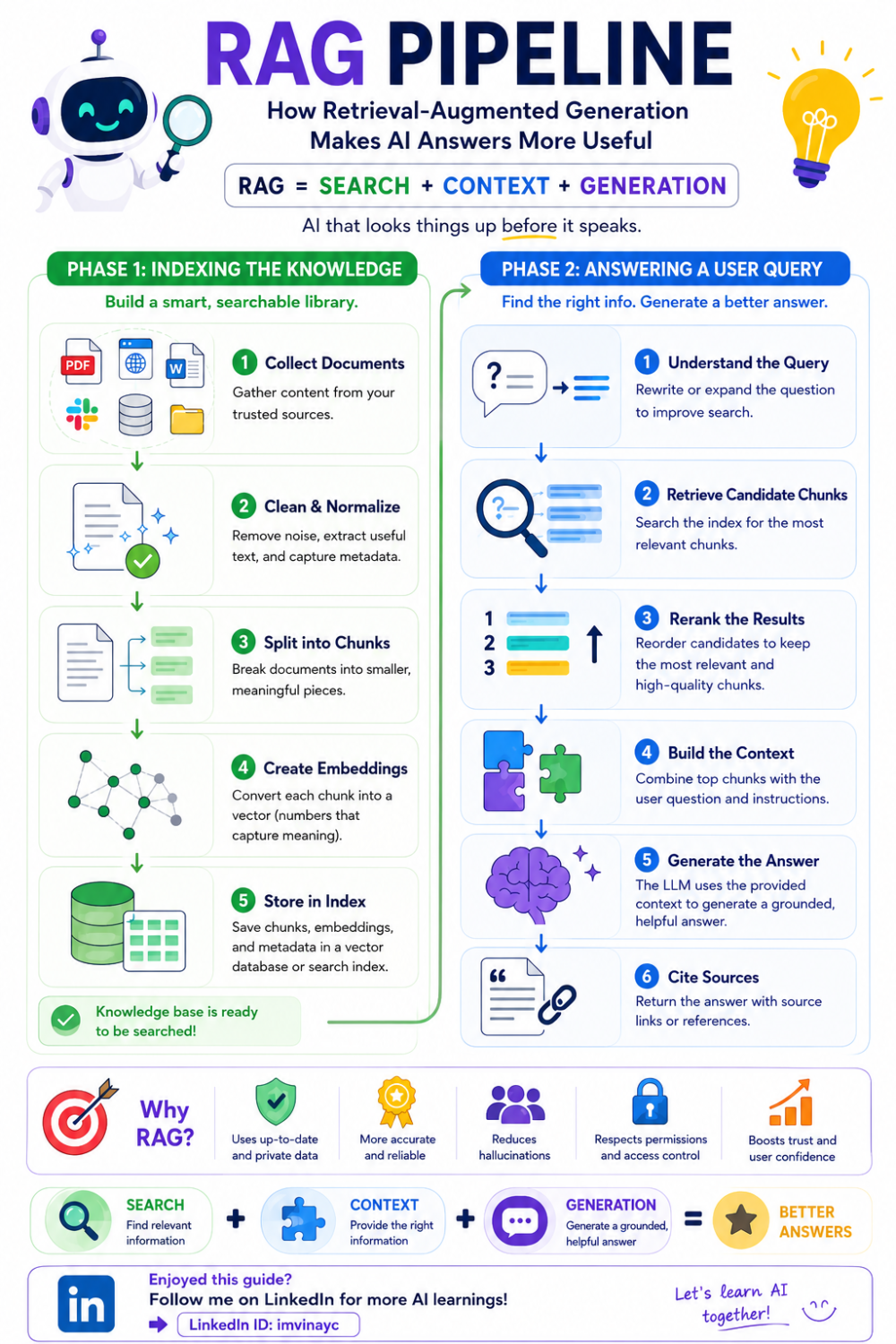
Infographic created by Vinay C (imvinayc)
A Practical RAG Pipeline Blueprint
A strong production RAG pipeline often looks like this:
- Ingest documents from approved sources.
- Clean and normalize text.
- Split documents into meaningful chunks.
- Attach metadata and permissions.
- Generate embeddings.
- Store chunks in a vector/search index.
- Rewrite or expand the user query.
- Retrieve candidates using hybrid search.
- Apply permission and freshness filters.
- Rerank the best chunks.
- Build a grounded prompt.
- Generate the answer.
- Cite sources.
- Log feedback and evaluate quality.
- Refresh the index as documents change.
This is the real pipeline. The LLM is only one part of it.
Final Takeaway
RAG is one of the most practical ways to build useful AI applications.
It does not require retraining a model. It does not depend on the model already knowing everything. It gives the model access to trusted, current, domain-specific knowledge.
The simplest way to understand it is this:
RAG helps AI answer with evidence, not just memory.
That is why it has become the default architecture for enterprise AI assistants, support bots, research tools, and knowledge copilots.
Originally published on LinkedIn.