Debugging an LLM app across layers: prompt, retrieval, model and infrastructure
We'll cover the following
Visual summary
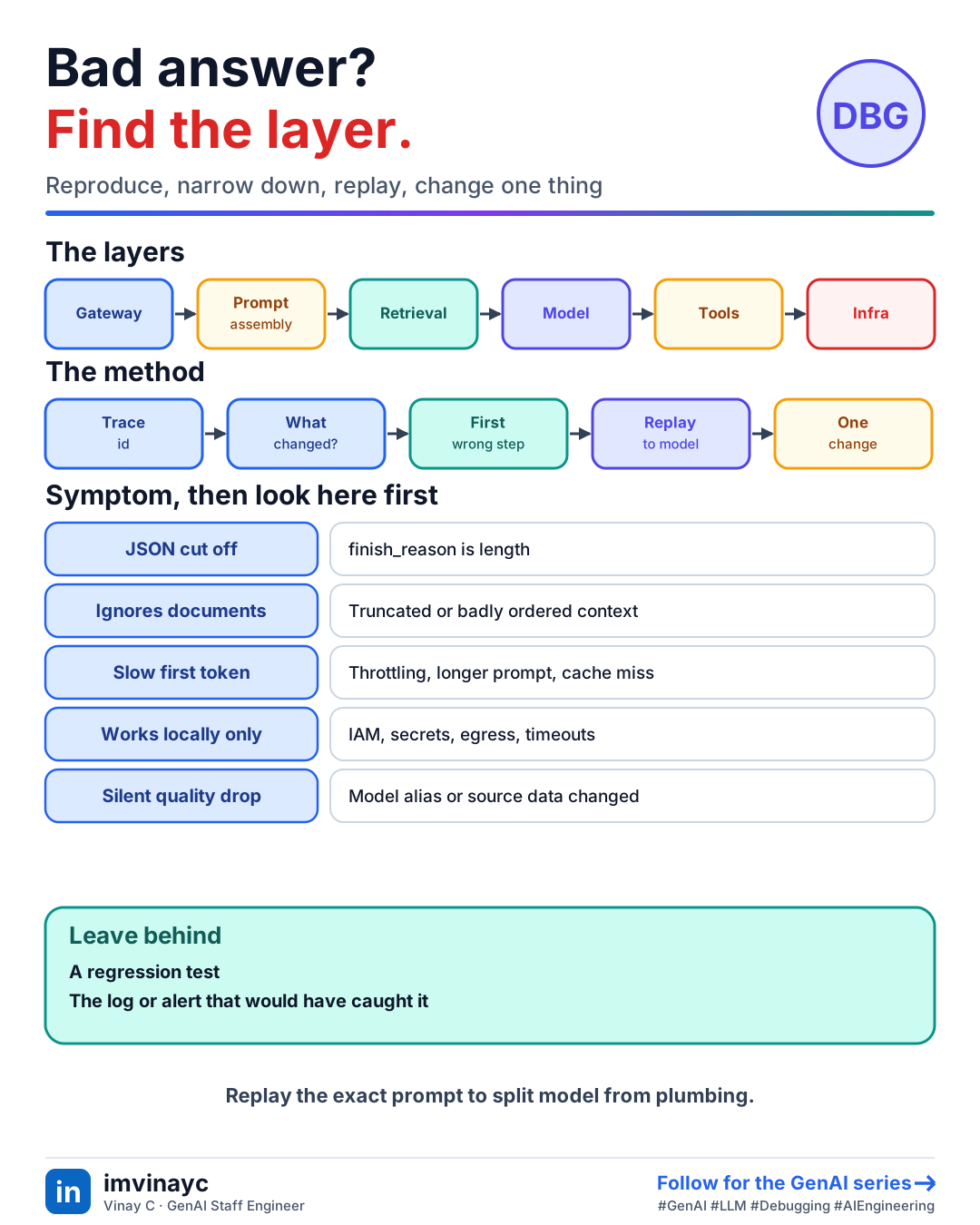
Download imageFree to share, please link back to this lesson.
A bad result can come from any of a dozen places. The skill is to narrow it down layer by layer instead of tweaking the prompt and hoping. Start from a single trace of the failing request and ask which layer first produced something wrong.
The layers
client -> network -> gateway (auth, limits, routing, cache)
  -> app code (prompt assembly, truncation)
  -> retrieval (index, filters, permissions)
  -> model (version, parameters, context, refusals)
  -> tools (calls, timeouts, schemas)
  -> output handling (parsing, guardrails)
  -> infrastructure (IAM, quotas, secrets, timeouts)
A method that works
- Get one failing request with its trace id and the exact inputs. If you cannot reproduce it, improve logging first.
- Ask what changed: a prompt, model version, index, config, dependency or traffic pattern.
- Read the trace top to bottom and find the first step whose output is wrong.
- Replay the exact final prompt straight to the model. If it fails, the problem is the prompt or model. If it works, the bug is upstream or downstream of the model call.
- Compare a good and a bad request side by side: tokens, retrieved chunks, versions, user, tenant.
- Fix, add a regression test or golden example, and add the missing log or alert that would have found it sooner.
Symptoms and where to look first
| Symptom | Likely layer | First check |
|---|---|---|
| Confident but wrong answer | Retrieval or prompt | Was the right chunk retrieved? Is the model told to use only the context? |
| Answer ignores the documents | App code | Prompt truncated? Context placed where it gets lost? Token count against the window |
| JSON parse failures | Model settings | finish_reason is length (cut off), model changed, no schema enforcement |
| Slow first token | Gateway or provider | Queueing and throttling, a prompt that grew, a prompt cache that stopped hitting |
| Random 429s and 5xx | Quota or retries | Provider limits, retry storm, one deployment unhealthy |
| Different answers for different users | Retrieval or cache | Permission filters, personalisation, cache namespace |
| Cost spike | App or gateway | Prompt growth, an agent loop, cache misses, traffic routed to a bigger model |
| Works locally, fails in production | Infrastructure | IAM role, secrets, VPC endpoint or egress, timeouts along the path |
| Quality dropped but nothing deployed | Model or data | Provider changed a model alias, source documents changed, input drift |
- Always read
finish_reason:lengthmeans truncated,content_filteror a guardrail stop means the answer was blocked, andtool_usemeans the model wants a tool. - Pin model versions where you can. A floating alias can change behaviour without any deploy of yours.
- Check every timeout in the path (client, gateway, load balancer, function). The shortest one wins.
- Change one thing at a time, and measure on a set of examples rather than one anecdote.
Check yourselfUsers report truncated JSON from an extraction endpoint that worked last week. Walk through your debugging.
Check finish_reason on failing traces. If it is length, the output hit max_tokens, so inputs may have grown or the model or its token usage changed. Compare a good and a bad request, check recent prompt or model changes, raise the limit or shorten outputs, and enforce structured output so truncation is detected. Add an alert on the parse-failure rate.
Check yourselfReplaying the exact prompt directly to the model gives a good answer, but the app returns a bad one. What does that tell you?
The model is fine for that prompt, so the bug is around it: prompt assembly differing from what you replayed, post-processing or parsing, a guardrail rewriting output, a stale cache, or a gateway fallback to a different model. Compare what the app actually sent with what you replayed.
Summary: say it in the interview
- "I reproduce from a trace, find the first wrong step, replay the exact prompt to separate model problems from plumbing, change one variable, and leave behind a test and a better log."