AWS essentials for AI platforms: IAM, networking and compute
We'll cover the following
Visual summary
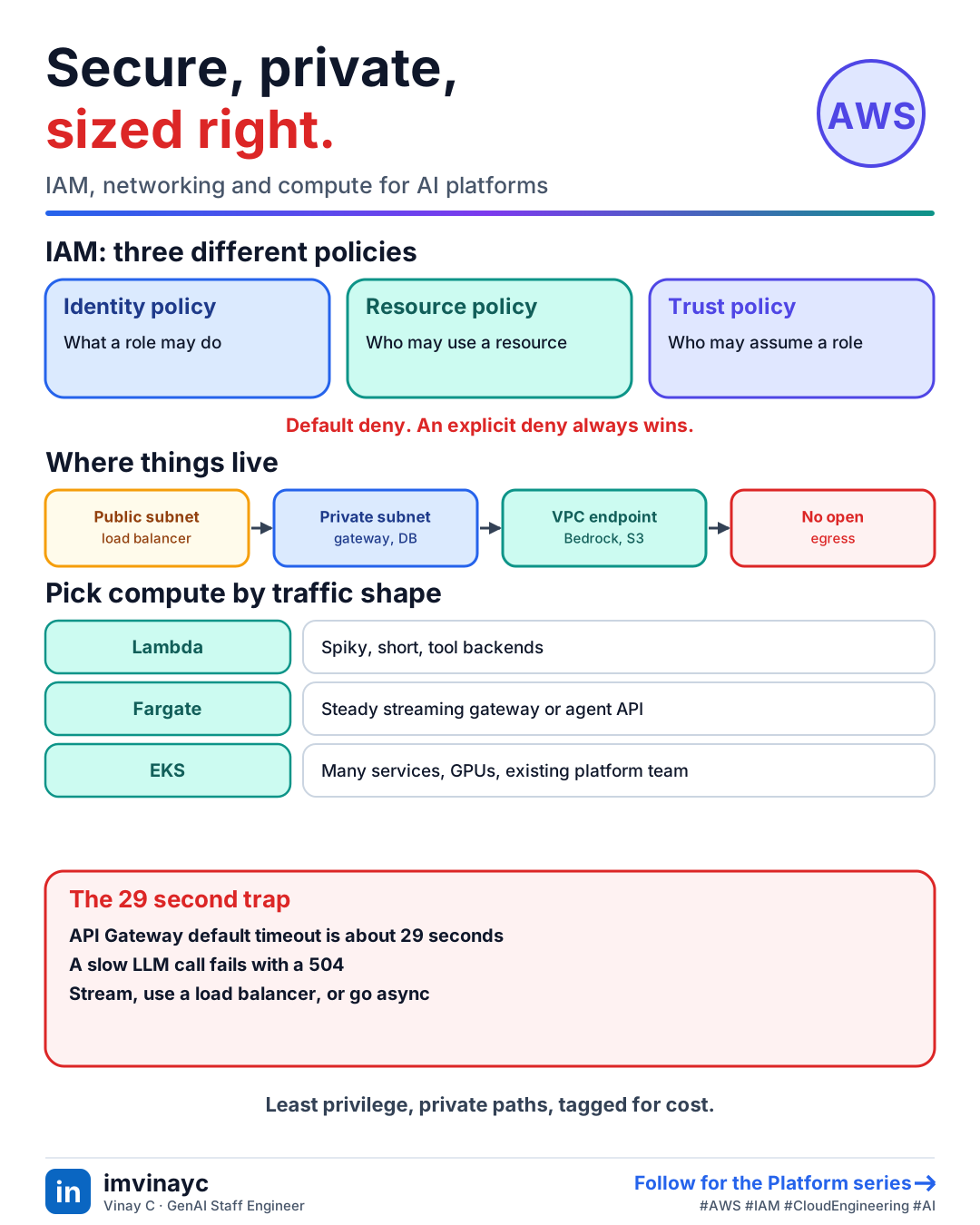
Download imageFree to share, please link back to this lesson.
An AI platform on AWS is ordinary cloud engineering with unusual traffic: long-running calls, streaming responses, big spikes and sensitive data. Four areas decide whether it is safe and reliable: IAM, networking, compute choice and secrets and observability.
IAM: who can do what
- Roles over users. Workloads assume a role and get temporary credentials (ECS task role, Lambda execution role, EKS service account). No access keys in code or env files.
- Two policy sides. An identity policy says what a role may do. A resource policy (S3 bucket, KMS key) says who may touch the resource. Cross-account access needs both to allow it.
- A trust policy says who may assume a role. This is what OIDC from GitHub relies on.
- Evaluation: everything is denied by default, an explicit deny always wins, and permission boundaries or SCPs cap what a policy can grant.
- Least privilege: name the actions and resources, for example
bedrock:InvokeModelon specific model ARNs, notbedrock:*on*.
Networking: keep model traffic private
- VPC with public and private subnets. Put load balancers in public subnets and services and databases in private ones.
- Security groups are stateful and attach to instances or tasks. Network ACLs are stateless and apply per subnet. Most rules live in security groups.
- VPC endpoints (PrivateLink) let private subnets reach AWS services such as Bedrock, S3 and Secrets Manager without going over the internet. They also avoid NAT gateway data charges, which add up with large prompts and responses.
- Egress control: an agent that can call any URL can exfiltrate data. Restrict outbound traffic to approved destinations.
Compute: Lambda, containers or Kubernetes
| Option | Good for | Watch out for |
|---|---|---|
| Lambda | Spiky, short, event-driven work: webhooks, small tool backends, embedding on upload | Cold starts, 15 minute maximum run, request size limits, API Gateway's default 29 second timeout when an LLM call is slow |
| ECS on Fargate | A steady service such as the LLM gateway or an agent API, with no servers to manage | Scaling speed, cost at constant high load |
| EKS (Kubernetes) | Many services, custom networking, GPU or self-hosted models, an existing platform team | Operational overhead; not worth it for one small service |
For streaming chat, an application load balancer in front of containers is the simple choice. If you use Lambda for a user-facing LLM call, check its response streaming support and every timeout in the path: client, gateway, load balancer and function.
Async work and orchestration
- SQS between the API and workers absorbs spikes and lets you retry, with a dead-letter queue for poison messages.
- Step Functions run multi-step workflows with retries and branching, useful for ingestion pipelines.
- S3 events or EventBridge trigger document ingestion and embedding when a file arrives.
Secrets, keys and observability
- Secrets Manager for provider API keys and database passwords, with rotation. Parameter Store for plain configuration. Inject at runtime, never bake into images.
- KMS encrypts S3, databases and secrets. Customer-managed keys give you audit and revoke control.
- CloudWatch for logs, metrics and alarms. Alarm on gateway error rate, p95 latency, Bedrock throttles and daily spend.
- Tag everything (team, project, environment) so Cost Explorer can split the bill.
Check yourselfA Lambda behind API Gateway calls an LLM that sometimes takes 40 seconds. Users get 504s. Why, and what are your options?
API Gateway's default integration timeout is about 29 seconds, so it gives up before the model answers. Stream the response, move to a container service behind a load balancer, or make the call asynchronous (accept the request, queue the work, and return the result by polling or a callback). Check every timeout along the path.
Check yourselfYour ECS task role has bedrock:* on *. How do you tighten it?
Allow only the needed actions (bedrock:InvokeModel, InvokeModelWithResponseStream or the Converse equivalents) on the specific model or inference-profile ARNs, add conditions where useful, and use separate roles for services with different needs. Review with IAM Access Analyzer.
Summary: say it in the interview
- "Workloads use least-privilege roles, services sit in private subnets and reach Bedrock through a VPC endpoint, secrets come from Secrets Manager, queues absorb spikes, and every resource is tagged for cost."