Terraform: state, modules and safe changes
We'll cover the following
Visual summary
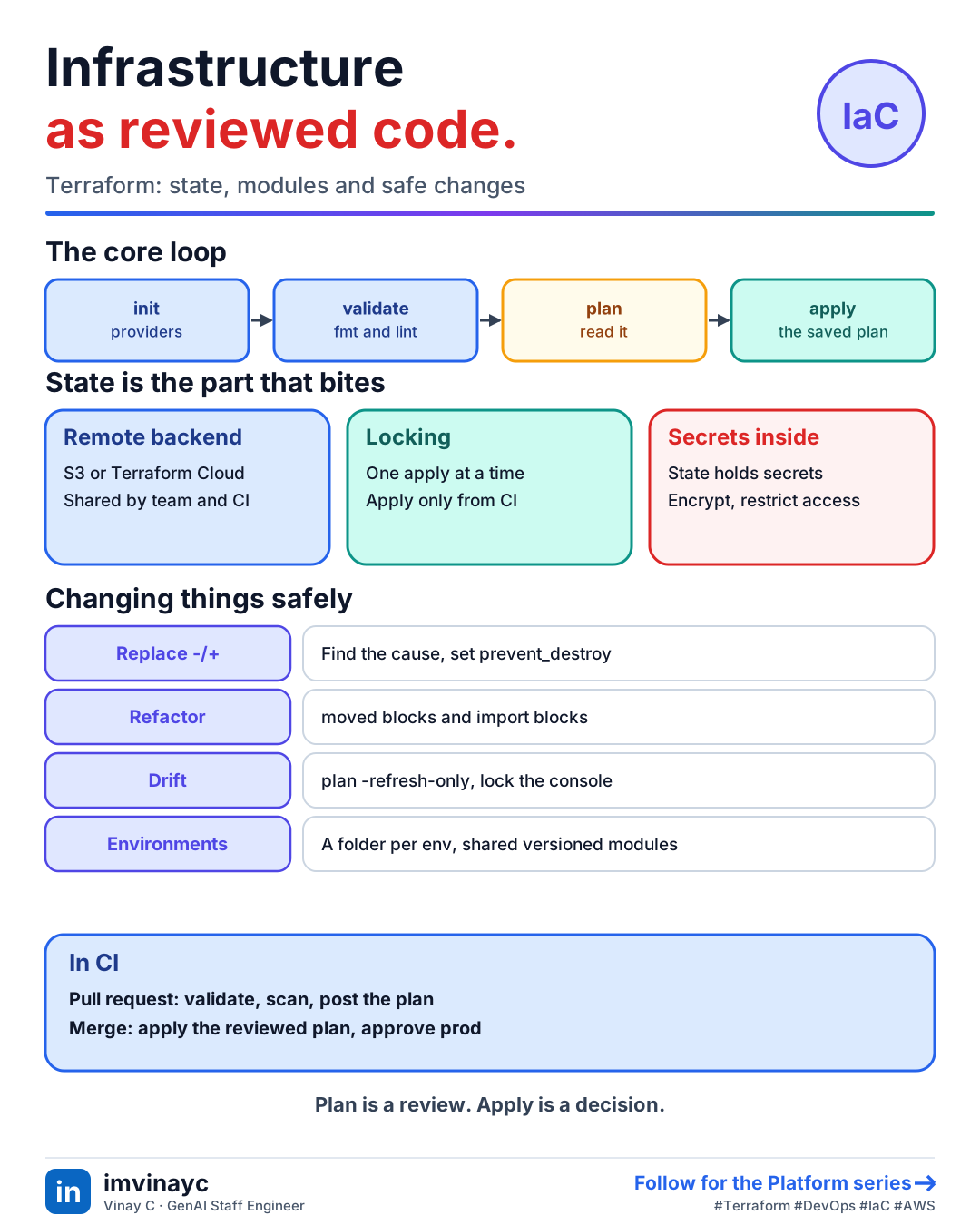
Download imageFree to share, please link back to this lesson.
Terraform describes infrastructure in code (HCL) and makes the real world match it. You declare the end state, Terraform compares it with what it knows exists and works out the changes. The code lives in git, so infrastructure gets review, history and repeatability like application code. OpenTofu is the open-source fork with the same workflow.
The core loop
terraform initdownloads providers and modules and configures the backend.terraform fmtandterraform validatecheck style and syntax.terraform planshows exactly what would be created, changed or destroyed.terraform applymakes the changes, ideally applying a saved plan (plan -out) so what you reviewed is what runs.
The building blocks
| Concept | What it is |
|---|---|
| Provider | The plugin that talks to an API (AWS, Google, GitHub). Pin its version. |
| Resource | One piece of infrastructure, such as aws_s3_bucket |
| Data source | Read-only lookup of something that already exists |
| Variable, local, output | Inputs, internal names, and values you expose |
| Module | A reusable bundle of resources with a clean interface |
| State | Terraform's record of which real resource each block manages |
State is the part that bites
State maps your code to real resource ids. Lose it and Terraform thinks nothing exists; corrupt it and it may try to recreate things. So never keep it on a laptop for shared infrastructure.
- Remote backend: store state in S3 (or Terraform Cloud) so the whole team and CI share one copy.
- Locking: only one apply at a time. S3 backends historically used a DynamoDB table for locks, and newer versions can use a lock file in S3.
- State holds secrets in plain text (database passwords, keys). Encrypt the bucket, restrict who can read it, and keep secrets out of config where you can.
- Split state by environment and by blast radius. One giant state makes every plan slow and every mistake large.
terraform {
  required_version = ">= 1.6"
  required_providers {
    aws = { source = "hashicorp/aws", version = "~> 5.0" }
  }
  backend "s3" {
    bucket  = "acme-tfstate"
    key     = "ai-platform/prod/terraform.tfstate"
    region  = "us-east-1"
    encrypt = true
  }
}

module "llm_gateway" {
  source        = "./modules/llm-gateway"
  environment   = var.environment
  desired_count = 3
}
Environments
- Directory or root module per environment (dev, staging, prod) sharing modules. Explicit and the safest default.
- Workspaces give several states from one config. Convenient, but it is easy to apply to the wrong one, so many teams avoid them for prod.
- Promote the same module version through environments, with different variable values only.
Changing things safely
- Read the plan. A replacement (
-/+) of a database or load balancer is destructive. Uselifecycle { prevent_destroy = true }on critical resources. create_before_destroyavoids downtime when a resource must be replaced.movedblocks rename or restructure code without destroying anything.importblocks bring existing resources under management.- Drift: someone changed a resource by hand.
terraform plan -refresh-onlyshows it. Fix by reverting the console change or updating the code, and restrict console write access. for_eachovercountfor sets of resources, so removing an item does not shift every index after it.
Terraform in a pipeline
- On a pull request: format check, validate, lint (tflint), security scan (checkov or trivy), then
planposted as a comment. - On merge to main:
applythe reviewed plan, behind an approval for production. - Credentials: CI assumes a cloud role through OIDC, with no long-lived keys stored.
- Policy as code (OPA or Sentinel) blocks things like public buckets or unapproved regions.
What an AI platform stack looks like
A typical module set for an LLM gateway: an ECS Fargate service (or EKS deployment) running the proxy, an application load balancer, an RDS or Aurora PostgreSQL database for keys and spend, ElastiCache Redis for caching and rate limits, Secrets Manager for provider keys, an IAM task role allowed to call Bedrock, security groups, and CloudWatch alarms.
Check yourselfTwo engineers run terraform apply at the same time against the same state. What protects you, and what if there is no protection?
State locking in the remote backend lets only one apply proceed. Without it both can write state and you get conflicting or corrupted state and partial changes. Use a remote backend with locking and run applies only from CI.
Check yourselfThe plan shows your production database as -/+ (replace). What do you do?
Stop and find what forced the replacement (a changed immutable argument, a rename, a provider upgrade). Use moved blocks or fix the argument, set prevent_destroy on the resource, and take a snapshot before any real change. Never apply a plan that destroys data you did not intend to.
Summary: say it in the interview
- "Remote encrypted state with locking, one root module per environment sharing versioned modules, plan on every pull request, apply the reviewed plan on merge, and drift checks on a schedule."